

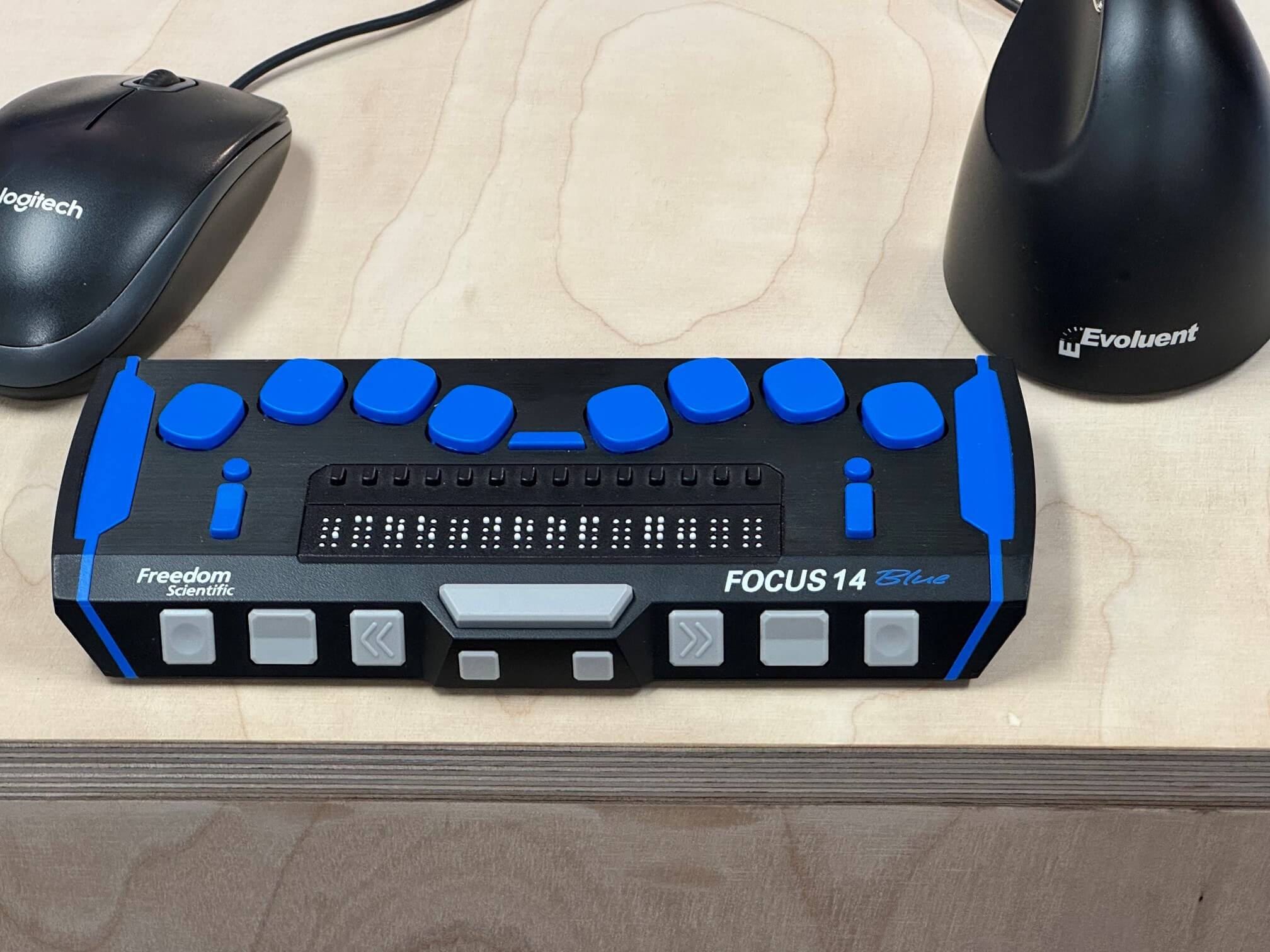
So here’s the question we put to every client: why would you build a website that some of your customers can’t use?
One in four people in the UK is disabled, that’s around 16 million people
SCOPE 2021
At Indigo Tree we stopped offering accessibility as an optional extra a long time ago. It isn’t a line item you cross off the budget to save money, and it isn’t a badge you bolt on at the end. It’s how we build, every time, for every client. Global Accessibility Awareness Day on 21 May is a good moment to explain what that actually looks like in practice.
What we mean by website accessibility
Accessibility means everyone can use your website, whatever their ability. That covers people with vision, hearing, physical and cognitive differences.
LOUISE TOWLER | INDIGO TREE
It also covers the rest of us on a bad day: a cracked phone screen, bright sun on the train, a noisy office, one hand holding a coffee. Good accessible design helps all of those people, not a niche few. When we get it right, the site is easier for everyone.
The law already made the choice for you
This is the part that surprises some clients, you don’t actually get to opt out!
In the UK, the Equality Act 2010 says service providers must take reasonable steps to make their services available to disabled people. Your website is a service. Public sector bodies have extra duties under the 2018 accessibility regulations. The European Accessibility Act came into force in 2025, so if you sell to customers in the EU, it reaches you too. The recognised standard for all of this is WCAG 2.2 AA.
We don’t lead with fear, we’d rather a client hear this from us rather than from a customer or legal complaint later.
The four principles we build to
The Web Content Accessibility Guidelines (WCAG 2,2 AA) come down to four ideas, known by the acronym POUR:
- Perceivable: people can take in the content through more than one sense, with text descriptions for images and enough contrast between text and background.
- Operable: everything works with a keyboard, not just a mouse, and people get enough time to read and act.
- Understandable: the writing is clear, pages behave consistently, and mistakes are easy to fix.
- Robust: the code is clean enough to work with screen readers and assistive tech, today and in the future.
Keeping those four in mind means most of the hard work falls into place.
Where accessibility lives in our process
We build websites in stages: discovery, design, development, QA and content, then launch. Accessibility is a theme that runs across all five rather than being confined to checks at the end.
It starts in discovery
Before a single pixel is drawn, we talk to clients about who uses their site and what they need it to do. This gives us the opportunity to raise the tricky bits about content or specific features early: videos, animations, sliders, forms and embeds. These are where accessibility is a challenge later, so we plan for them rather than fixing them later.
Design and colour come next
Every project gets a written design brief, and colour is included in it. Body text needs a contrast ratio of at least 4.5:1 against its background to pass AA (WCAG 2.2 AA).
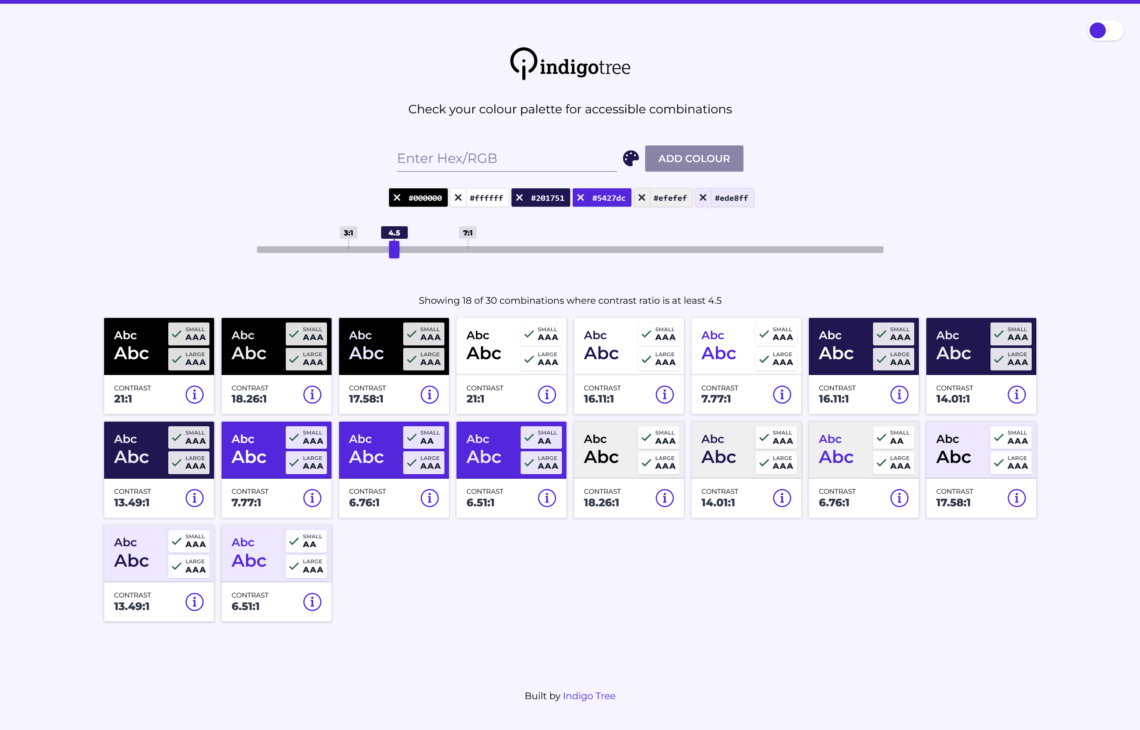
We check every brand colour pairing against every other one using our own contrast checker tool. This shows clients and the designer exactly which combinations pass and which don’t. It’s far easier to design the site with a palette of colours that work and review contrast issues in a design file, than across a finished site.
Build, test, then test again
During the website theme build we check stack order, tab order, heading structure and interactive elements related to the theme and the block editor. Automated tools do the first pass:
- Accessibility Checker plugin
- Axe browser extension
- Headings Map browser extension
- WAVE
We can automate alt tags being created for all images uploaded into the media library and for content and SEO we also lean on Screaming Frog and Ahrefs to scan the site and address any missing elements.
Automated checks only catch part of the picture, so we test by hand too. We check we can:
- Navigate the whole site with a keyboard
- Listen to it with a screen reader
- Try it across different screen sizes
- Check it respects motion sensitivities
The website accessibility problems we see most often
The Government Digital Service publishes what it finds when it monitors public sector sites, and the same handful of issues comes up again and again. Not enough colour contrast. No visible focus, so keyboard users can’t see where they are. Sites that don’t work when you try to use them with a keyboard. Pages that don’t reflow when you zoom in or rotate your phone.
None of these are special, they’re ordinary mistakes which are avoidable.
Why accessibility is good for business too
Doing the right thing is also great commercially. An accessible website reaches a wider audience and provides a clearer experience for everyone.
- It opens doors to government tenders and grants, which often require accessible services.
- It lowers your legal risk.
- Accessible sites tend to rank better because the clean structure that helps screen readers also helps Google and other bots understand the site.
- Accessible pages are often lighter too, so they load faster and use less data, which is kinder to the planet and helps with search rankings.
Our work doesn’t stop at launch
You cannot manage what you cannot measure. During website development we train our clients and content editors, so the next blog post or landing page doesn’t quietly fail. We can report on accessibility over time and we can run an audit, but it is far better to continue to add new content which has no accessibility defects in the first place.
Build on the right foundation
Accessibility isn’t a feature we sell, it’s the foundation we build on. So that’s why we don’t give clients a choice about it, and why we think every agency should do the same.
This Global Accessibility Awareness Day on the 21st May, the best move you can make is to stop treating accessibility as optional and start treating it as the baseline.
Want to know how your current site measures up? Book an accessibility audit with our team, and we’ll show you exactly where you stand and what you can do to fix any issues we find.
Frequently asked questions
Most likely, yes. The Equality Act 2010 expects service providers to make reasonable adjustments, public sector bodies have additional duties, and the European Accessibility Act 2025 reaches businesses selling into the EU. WCAG 2.2 AA is the standard to aim for.
It’s the recognised set of web accessibility guidelines, built around four principles: perceivable, operable, understandable and robust. AA is the level most organisations are expected to meet.
Overlays don’t fix the underlying problems, and they can create new ones, so we never use them. Real accessibility comes from how a site is designed, built and maintained, not from a widget bolted on top.
We test every brand colour combination against the 4.5:1 AA ratio for body text using our own contrast checker tool, so clients can see which colour combinations pass before design is signed off.
Not at all. We can audit an existing site, show you where the gaps are and prioritise the fixes. Starting now is always better than waiting for a complaint.
The featured image for this post is a Focus 14 Blue Braille display with blue buttons, next to an ergonomic mouse